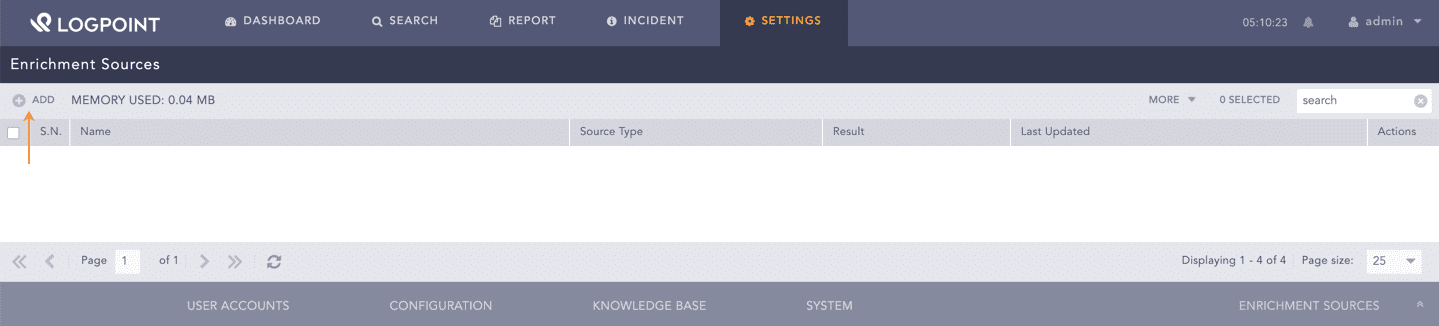
Go to Settings >> Configuration >> Enrichment Sources.
Settings >> Configuration >> Enrichment Sources
Click Add.
Adding an Enrichment Source
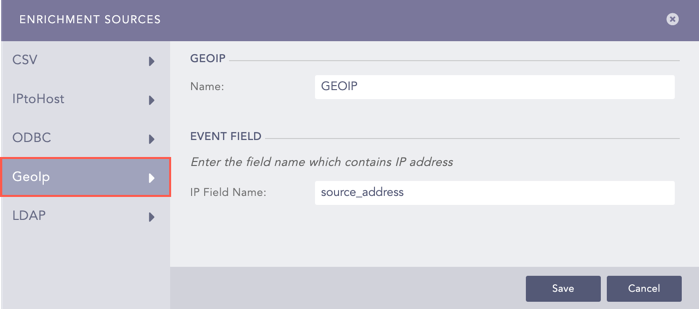
Select the GeoIp option.
Adding GEOIP as an Enrichment Source
Enter a Name.
Enter a field to enrich in the IP Field Name text box.
Click Save.
We are glad this guide helped.
Please don't include any personal information in your comment